You can click the "APA Wiki" button in the top left off the screen to return to this page at any time
[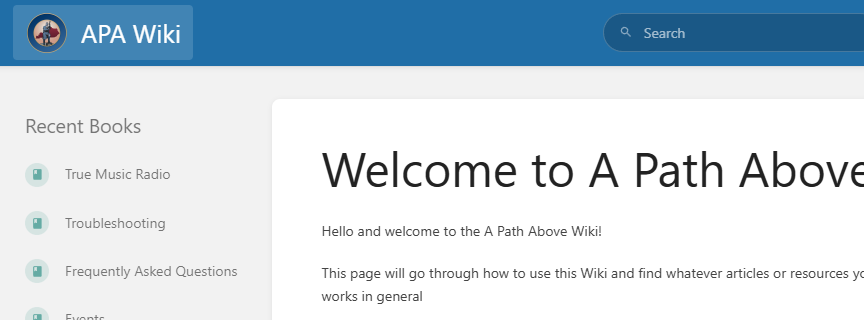](https://wiki.apathabove.com/uploads/images/gallery/2025-01/F7oimage.png)You can use the Search bar at the top of the screen to quickly find what you need
[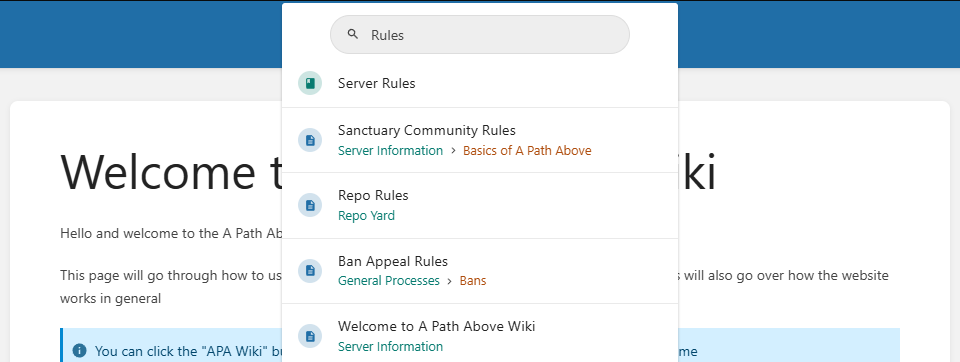](https://wiki.apathabove.com/uploads/images/gallery/2025-03/QYdimage.png) #### Quick Links to Popular Resources [Server Rules](https://wiki.apathabove.com/books/server-rules "Server Rules") [FAQs](https://wiki.apathabove.com/books/frequently-asked-questions "Frequently Asked Questions") [Safehouses](https://wiki.apathabove.com/books/guides-cwu/page/safehouses "Safehouses") [Player Shops](https://wiki.apathabove.com/books/guides-cwu/page/player-shops-and-stores "How to create and manage Player Shops") #### How this website works This website is built on the opensource BookStacks program. You can view their documentation [here](https://www.bookstackapp.com) if you wish. BookStacks works by using Shelves, Books, and Pages. Right now, you are viewing a Page. A Book can contain any number of Pages and a Shelf can also contain any number of Books. Lastly, a Book can be on any number of Shelves, so you may see the same Book on different Shelves. You can view all of these by clicking on the Shelves or Books icon in the top right of the screen. This will show you all of the ones you have permission to see. [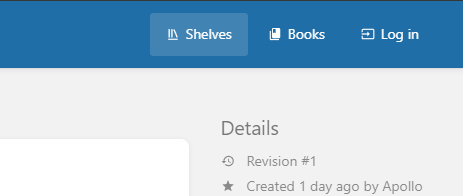](https://wiki.apathabove.com/uploads/images/gallery/2025-01/xrRimage.png) For organisation and better reading, we recommend you use Shelves as your primary way to navigate, or you can Search for the specific item you need. #### How to Search for a specific item You can use the Search bar at the top to locate any specific words you are looking for in this wiki. As an example, let's look for the Server Rules. Simply typing "rules" in the search bar returns every Shelf, Book, and Page that contains that word. [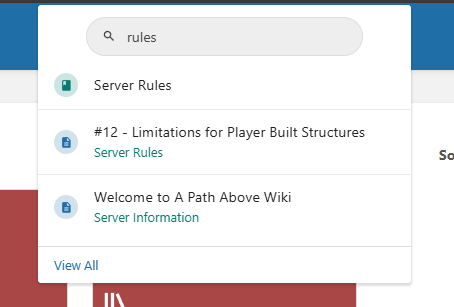](https://wiki.apathabove.com/uploads/images/gallery/2025-01/Yrbimage.png) Shelves have a red icon. [](https://wiki.apathabove.com/uploads/images/gallery/2025-01/d5qimage.png) Books have a green icon. [](https://wiki.apathabove.com/uploads/images/gallery/2025-01/jXCimage.png) Pages have a blue icon and will list underneath in green text which Book they are inside. [](https://wiki.apathabove.com/uploads/images/gallery/2025-01/acfimage.png) #### How to navigate around Shelves, Books, and Pages We will use the "Loot" page as a reference for this guide. [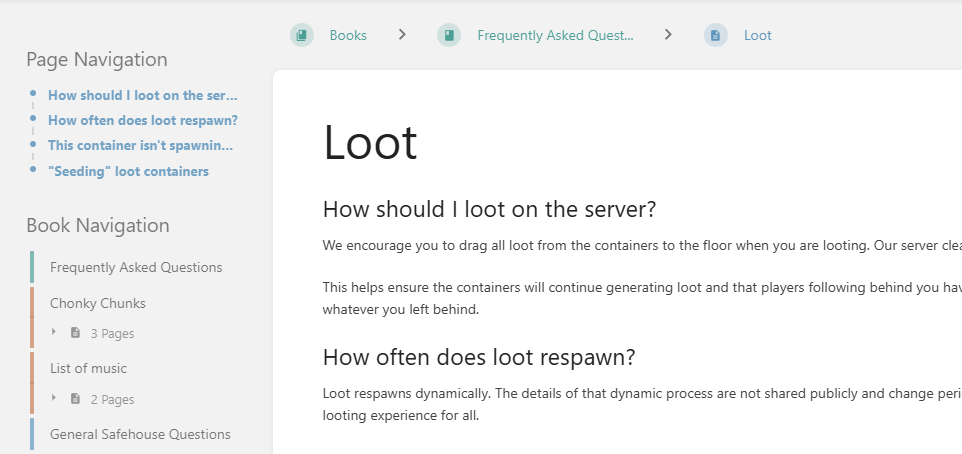](https://wiki.apathabove.com/uploads/images/gallery/2025-01/tXwimage.png) Your options for navigation are: 1. You can use the bar at the top to go up one level, to the Book or Shelf that you are currently in. 2. You can use the Page Navigation on the top left to quickly hop down to the specific Header you want to read. 3. You can use the Book Navigation to move around within the Book you are currently in. - Green items are the Books themselves, this is typically the "Welcome" area and lists all the items inside the Book. Think of these as Folders in Windows. - Orange items are Chapters. Chapters only exist within Books and collect multiple Pages together. Think of these as Subfolders in Windows. - Blue items are Pages. Pages are the final step and are where you should expect to find all the information you need. Think of these as Documents in Windows. # Admin Services These are all the services our Admins provide, how to access them, and general guidelines on usage. # Requesting Custom Tiles We have a KSSA Tile Requisition in the Item Shop. [](https://wiki.apathabove.com/uploads/images/gallery/2024-12/10kimage.png) You only need to buy one of these per ticket, the rest of the process is listed below: 1. Make a #ticket under General Help 2. Describe the kind of custom tile(s) you want - These can be anything decorative such as unique walls, statues, windows, items, posters, shop signs, etc. - These can not be anything productive such as forges, water tiles, ammo making tiles, crafting tables, solar panels, etc. - Best results if you can either find the tile in the world already, or you can get the tile pack name for the tiles you want 3. Pay the price for your requested tiles. - You get 1 tile with your slip. - Every extra tile after that costs an additional 40% of the base price. As an example five custom tiles assuming a store price of 500 Merits would be: 1 Slip + 4 Additions 1 Slip = 500 Merits 500 \* 0.4 = 200 = 1 Addition 4 Additions = 200 \* 4 = 800 1 Slip (500) + 4 Additions (800) = 1300 Final Price: 1300 Merits for 5 custom tiles. These above figures are an example, the price and the currency type is always subject to change. Make sure to check in the Item Shop for the current costs. After any final checks and confirmations, an Admin can deliver those tiles to wherever you need them. # Safehouse Claims and Custom Safehouses To be expanded on later Safehouses cannot be part of a loot building (if you are unsure, make a General ticket to ask) Custom Safehouse Claims - Price is the cost of the Land Deed (1000MPC) + 100mpc per chunk - Enclose the perimeter/boundaries of your desired claim (because otherwise people can drive into your claim and get stuck or get yeeted out and be stuck without their vehicle) How to measure chunks - To be filled later - Chunks are 10x10 tiles - you can do math with coordinates to figure out the size of your claim # Changing Vehicle Skins Found yourself a rare or unique vehicle but don't want that specific skin? Here's the fix for you. You can change the skin for any vehicle to any skin that is available in that vehicle's skin pool. The cost is one KSSA Car Repaint Requisition per vehicle. [](https://wiki.apathabove.com/uploads/images/gallery/2024-12/saCimage.png) Purchase one of these and create a ticket. Let us know which vehicle it is, the coordinates of the vehicle, the skin you want, and leave the slip in the glovebox. We can then process the change for you. While you are at it, perhaps consider also [repairing all the unfixable parts](https://wiki.apathabove.com/books/server-information/page/unfixable-part-voucher) on your vehicle? # Commission Custom Vehicle Skins # Unfixable Part Voucher Several modded vehicles have some parts that cannot be repaired or crafted due to issues with the way recipes are coded or oversights in the way repairs are configured. For these kinds of parts, we offer an Admin Service to cover the gap. You can purchase one Unfixable Part Voucher from the Item Shop and then make a ticket. In the ticket, let us know which vehicle you want repairing and make sure we know about any parts that you are struggling to craft. An Admin will then repair those parts up to full for you. [](https://wiki.apathabove.com/uploads/images/gallery/2025-04/oxbimage.png) It only costs one voucher per vehicle you need repairing. While you're at it, perhaps consider a [Vehicle Repaint Requisition](https://wiki.apathabove.com/books/server-information/page/changing-vehicle-skins) as well? # Bans and Punishments Sometimes we have to issue punishments for players who do not adhere to our server rules. See below for more information on the specific actions. # Project Zomboid Bans We don't have many controls for providing punishments for players that break the rules in game. In most cases, if an admin is present, the player will be told about the issue to avoid it in future. The only option other than a game ban is a kick, and we generally do not kick players. It's significantly more rare to get a kick than a ban. Read up on [Project Zomboid Kicks](https://wiki.apathabove.com/books/server-information/page/project-zomboid-kicks "Project Zomboid Kicks") for the specifics. When someone breaks a rule, we issue a ban first in most cases. This is for several reasons. 1. Due to time zones, it's difficult to always be present for discussing a rule breach. 2. We ban to prevent any further rule breaches by the player. 3. We ban to ensure the player understands this is a serious issue and not just a gentle talking-to. 4. We ban to prevent any further damage or other issues that could affect other players or the community. 5. We have automatic bans that are issued based on various criteria. Being banned in Project Zomboid will prevent the player from logging in to the server with that account. Instead, the player will receive a simple "This account is banned" message when attempting to log in. To appeal a ban, make a General Help ticket. # Project Zomboid Kicks If you are new to Project Zomboid, you may not be aware of just how unstable this game can be. Project Zomboid does automatic kicks for a whole host of reasons, including (but definitely not limited to): - Triggering of various anti-cheats. You will see a "kicked for Type 3" or similar in these instances. This can happen a LOT for completely normal behaviour. If this happens just once or twice to you, you can safely ignore it and keep on playing. If this repeatedly happens, raise a ticket and we can try to see what is causing the kick. - Desync. Desync is king. It happens during events, during non-events, when you are looting, when you are at home minding your own business, etc.. These kicks typically just say "You were kicked from the server" and give no context. Many falsely assume this was an Admin who kicked them but, as you may read in [Project Zomboid Bans](https://wiki.apathabove.com/books/server-information/page/project-zomboid-bans), we don't issue kicks as a form of punishment. - Because it hates you. This is probably the biggest reason to be honest. You will just disconnect with no warning, notice, or information at all. This happens for, you guessed it, a LOT of reasons. The game is unstable, what can we say! In short, if you are kicked, don't worry about it and just log straight back in. If it keeps happening, make a ticket to find out why. # Discord Bans If you find you are banned from our Discord, we hope you should know why. Discord bans are rarely issued for any in-game behaviour. We don't generally issue Discord bans as that is the only way you can appeal a Game ban. If you have received a Discord ban, it is likely due to breaking community rules and guidelines, such as being aggressive towards staff or others, posting indecent images and the like, harassing other players, or generally being a total douche. Don't do that. Stop it. Get some help. For those who are Discord banned, you might have a friend on the server who can appeal on your behalf, though your chances are already slim if you made it far enough to be banned in the first place. # Discord Timeouts Ahhh, the good ol' Discord timeout. Professionally speaking, this is used to defuse situations that could escalate, most likely when some players get in an argument. This is quite rare and we usually try other methods first, but there's no harm in a little quiet time. Not-so-professionally speaking, we may timeout Cobalt\_Moon from time to time. He deserves it. We don't typically timeout for any longer than a day. If you still haven't calmed down in 24 hours, you should consider therapy.